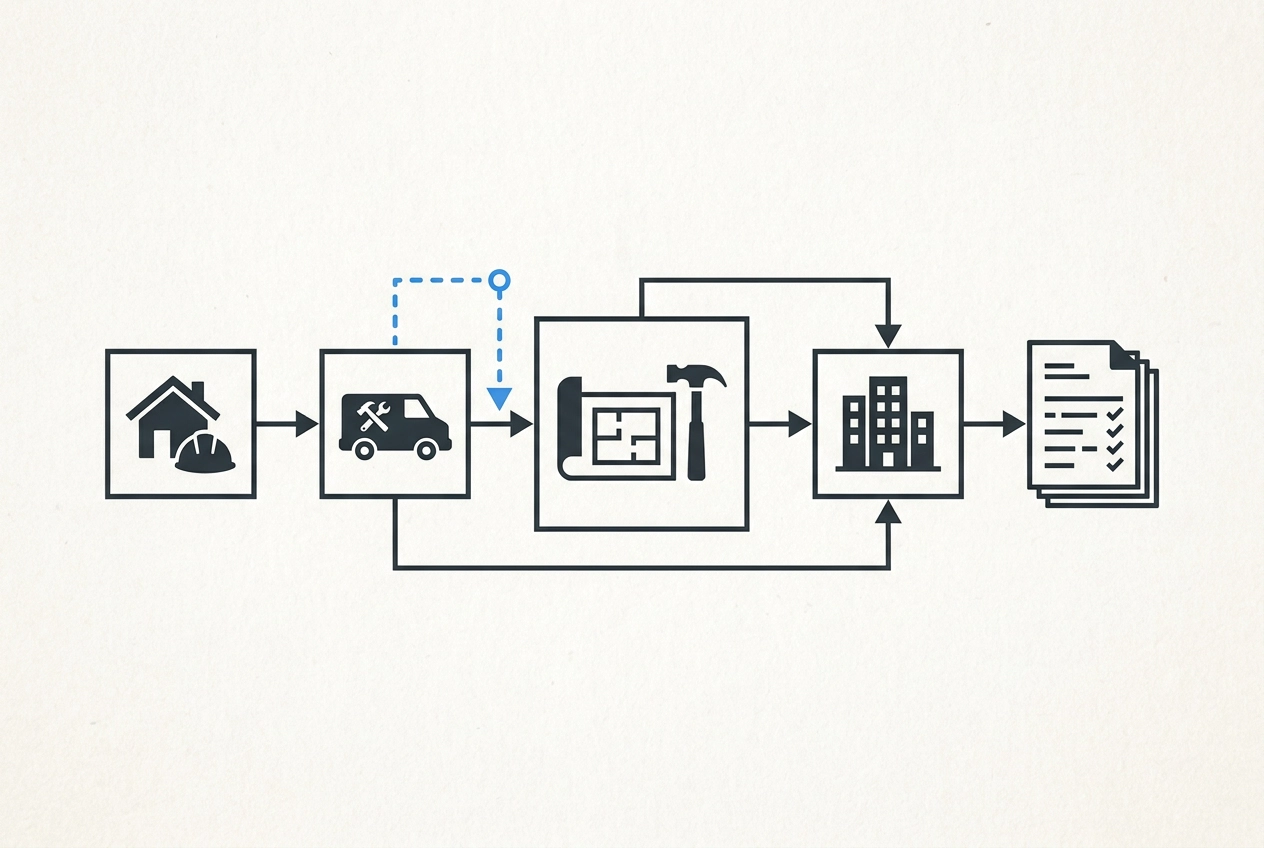
You win the job. You do the work. You send the invoice. Simple enough, right? But somewhere between that handshake and that payment, time disappears, costs creep up, and nobody can quite explain why.
The frustrating truth is that the work itself is rarely the problem. Your crew shows up, the materials get installed, and the job gets done. The real drag happens in the spaces between the steps, the waiting, the phone tag, the "I thought you ordered that" moments that bleed hours and margin without anyone noticing.
That is exactly what value stream mapping helps you see. It is a core tool in Lean methodology, and it is one of the most practical concepts to come out of process improvement consulting. The idea is simple: draw out every step in your job lifecycle, then figure out which steps actually move the job forward and which ones are just friction in disguise.
In this post, you will learn what value stream mapping means in plain language, how to trace a typical trade job from estimate to paid invoice, and how to sketch your own map starting with nothing more than a piece of paper.
What Value Stream Mapping Actually Means
Value stream mapping is a Lean concept that came out of manufacturing. The idea is simple: draw every step a product moves through, from raw material to finished product in the customer's hands, so you can see the entire process at once. When you can see it all on one page, the weak spots become obvious in a way they never are when you're living inside individual steps.
For a trade contractor, the translation is direct. Your value stream is the sequence of steps that turns a signed estimate into a paid invoice. That's it.
Lean draws one critical distinction: value-added steps are things the customer is actually paying for, like installing the unit or fixing the pipe. Non-value-added steps are everything else, whether necessary overhead or pure waste, like re-entering the same job address for the third time into a different form.
For a trade contractor, the map runs from the moment a customer says yes all the way to cash in the account. Every step in between belongs on it.
You don't need software, a consultant, or a wall covered in sticky notes to do this. A piece of paper and 20 minutes is enough to start.
The Standard Trade Job Lifecycle (Written Out Plainly)
Most trade jobs follow the same path from start to finish, regardless of whether you're doing HVAC, plumbing, electrical, or general contracting work. The sequence has six stages.
Estimate. Someone builds a bid, the customer approves it, and the job is on the books. This is where it all starts.
Schedule. The job gets a date, a crew gets assigned, and someone figures out what materials are needed and when.
Materials. Parts are ordered or pulled from stock. Before the crew leaves for the job site, someone needs to confirm those parts are actually there.
Crew on-site. The work happens. This is the only stage the customer is directly paying for. Every other stage exists to support this one.
Close-out. The job is finished, any remaining punch list items get handled, and the completion gets recorded somewhere, whether that's a text, a note, or a form.
Invoice. A bill goes out and the clock starts on getting paid. Understanding the data you need to track and when to track it becomes especially important here, because what gets captured at close-out is what shows up on the invoice.
Six stages. Straightforward enough that you could sketch it on a napkin in five minutes.
Here is the part most people miss: each stage is not really a single step. Each one ends with a handoff, a moment where information or responsibility passes from one person, one tool, or one system to another. The stage itself usually works fine. The handoff is where things go sideways. That is where the delays, the errors, and the lost time actually live.
Where the Cost Hides: The Handoffs Between Steps
Most contractors assume a stage broke down when something goes wrong. The estimate took too long. The materials order was slow. In practice, the stages usually run fine. The delay lives in the gaps between them.
Three examples show this clearly.
The estimate is done, the customer says yes, and nothing moves for two days because nobody told the scheduler. The estimating step worked. The handoff to scheduling failed.
Materials were ordered on time, but the crew showed up not knowing whether parts had arrived. Someone spent 45 minutes making phone calls before a single tool came out of the truck. The ordering step worked. The handoff from procurement to crew failed. When one missed update triggers a chain of downstream problems, that's a handoff issue, not a personnel issue.
The job finished on a Thursday. The tech sent a text to the office. The text got buried, and the invoice didn't go out until the following week. Close-out happened. The handoff to invoicing broke down and cost real cash flow.
In Lean thinking, these patterns fall under two of the eight recognized waste categories: waiting and extra processing. Waiting is idle time between steps. Extra processing is effort that doesn't add anything the customer values.
Double data entry is the most common form of extra processing for trade contractors. The job address, scope, and materials list go into the estimate, get retyped into a scheduling calendar, and get entered again into the invoice. The same information moves through the same hands three times. If you've ever wondered why your numbers drift between the bid and the final invoice, that re-entry process is usually where the error enters.
Drawing the Map: A Worked Example for a Service Trade Job
Here is a concrete example. Take a residential HVAC installation: clear start, clear end, recognizable to most trade contractors even if your work is plumbing, electrical, or something else.
Step 1: Estimate. Tech or owner visits the site, builds a bid, sends it to the customer. Value-added? Yes. Handoff friction? The bid lives on one person's laptop. Anyone else who needs it has to track that person down.
Step 2: Schedule. Owner or dispatcher books the date and assigns a crew. Value-added? Necessary overhead. Handoff friction? Job details often get re-entered from scratch because the estimate format doesn't transfer cleanly to the scheduling system.
Step 3: Materials. Someone builds a materials list and places an order. Value-added? Necessary overhead. Handoff friction? The crew doesn't know whether parts arrived until they call, or they show up and find the wrong part was ordered because the list came from memory instead of the estimate.
Step 4: Crew on-site. The installation happens. Value-added? Yes, this is the only stage the customer is actively paying for. Handoff friction? Every earlier failure lands here. The crew waits, improvises, or calls the office.
Step 5: Close-out. Job is done; the tech notes it by text or word of mouth. Value-added? Necessary overhead. Handoff friction? Completion information doesn't reliably reach whoever sends bills, which is where invoice delays are born.
Step 6: Invoice. A bill goes out. Value-added? Necessary overhead, directly tied to getting paid. Handoff friction? If close-out information is missing, the invoice goes out late, goes out wrong, or waits until someone follows up.
Most of those six stages are overhead. Only the on-site work is something the customer explicitly paid for. Nearly every gap between stages is an opening for a delay, a data error, or a dropped ball. That visibility is what a value stream map gives you, whether it's drawn on a whiteboard or a napkin.
If you're curious how a purpose-built tool handles some of these handoffs, the crew&cost product page gives you a sense of the trade contractor use case and how the workflow fits together.
Value-Added vs. Non-Value-Added: What That Distinction Means for Small Shops
Now that you can see the map, the labels on each step start to matter.
Every step gets sorted into one of two buckets. A value-added step is something the customer would pay for if they could see it. A non-value-added step is overhead or waste the business carries that the customer gets no direct benefit from.
For trade contractors, value-added work is almost entirely the physical work on-site: the installation, the repair, the inspection. That's it.
Everything else, estimating, scheduling, ordering materials, invoicing, falls into the non-value-added category. That doesn't mean those steps are optional. They have to happen. The goal is simply to keep them lean, because every hour spent on overhead is an hour not spent on billable work.
Then there's a third category worth naming separately: pure waste. This is the stuff that can be eliminated without losing anything. Re-entering job information that already exists somewhere. Waiting on a confirmation that could be automated. Calling a crew member to ask whether a job is done. Nothing in that list helps the customer or moves the job forward.
The point of mapping the value stream isn't to eliminate all overhead, which isn't possible. It's to shrink how much time and effort the overhead consumes.
For a shop with one to ten people, any time recovered from reduced handoff friction goes straight back into billable work or back to the owner.
How to Draw Your Own Map (Start on Paper)
Now that you know which steps are waste and which are overhead, here is how to make that visible on paper in about 20 minutes.
Pick the job type you run most often, whether that is a service call, a standard install, or a typical project. Trace it from the moment the customer says yes to the moment you deposit the check.
Write each step in a box, left to right. Do not write the process the way it should work. Write it the way it actually works, including the informal steps like "text the crew" or "call the supplier to see if the parts arrived." Those informal steps count.
Between each box, note how information moves. Is it a text? A phone call? A spreadsheet entry? A separate calendar? Each of those is a handoff, and each handoff is where friction hides.
Label each box honestly. VA for value-added, NO for necessary overhead, W for waste. You do not need to be precise. You need to be honest.
Now circle the handoffs where something broke in the last 90 days. A late invoice. A crew that showed up without the right parts. A job that sat unscheduled for a week after it sold. Most people end up with three or four circles clustered in the same part of the map.
That cluster is your answer. Not new software. Not a crew training session. The specific handoff that keeps breaking is where the work belongs.
This is the core idea behind Lean methodology: see the whole flow, find the actual constraint, and fix that one thing before touching anything else. That constraint is usually one of the same four breakdowns.
What Breaks Down Most Often in Small Trade Operations
Once you've drawn that map, the same four breakdowns show up in almost every small trade operation.
Estimate to schedule. The job is sold, but the person who sold it isn't the one who schedules it. Information doesn't move automatically, so it sits until someone follows up. Jobs that should start quickly can sit for days because of that gap alone.
Materials to crew. Parts are ordered, but there's no reliable way for the crew to know whether they've arrived on-site. Someone drives out, waits, or makes a second trip. That second trip is a cost you absorb and a delay the customer notices.
Close-out to invoice. As covered earlier, close-out happens informally and there's no consistent trigger to billing, which is where invoice delays are born.
Double data entry. As described in the handoffs section, re-entering the same job details across estimate, schedule, and invoice is where errors enter and time disappears. A tool like crew&cost keeps job details, costs, and invoices in one place so information written once moves through the process without being re-entered. But the map has to come first.
These patterns are consistent, predictable, and fixable.
Fix the Process Before You Add Technology
That pattern points to a single conclusion: don't buy software to solve it yet.
A consistent principle across process improvement methodologies is that technology follows process, it doesn't lead it. Dropping a new tool onto a broken handoff gives you a faster, more expensive version of the same problem.
The right order is straightforward. Draw the map, find the specific handoff that's breaking, then decide whether the fix is a behavior change, a written agreement, or a checklist. Only after that do you ask whether a tool would help.
For most small trade contractors, the first fixes cost nothing:
A standing rule that close-out information gets called in the same day the job finishes
A checklist confirming materials are on-site before the crew leaves the shop
An agreement that invoices go out the same day a job closes
Once those agreements hold consistently, a tool has something solid to support. That's when software earns its place, whether it's a shared spreadsheet or a purpose-built system.
The map also tells you exactly what you need the tool to do. You stop browsing features and start asking a specific question: does this fit the process I've already fixed? Pick the path that fits once you know what your process actually needs.
What to Do This Week
Here is your starting point. Grab a piece of paper and do this now, not next month.
Pick your most common job type and write every step from job won to invoice paid -- the same exercise from the mapping section, timed at 20 minutes.
Mark every handoff between people, tools, or systems -- those transitions are the candidates the mapping section identified, and this is where you find yours.
Circle the handoffs that caused a real problem in the last 90 days -- the mapping section explains what to look for; here you are applying it to your actual recent history.
Pick the one circled handoff that costs the most time or money. Just one. Decide on a single, specific change to how information crosses that gap.
You do not need a consultant, a new system, or a process overhaul to begin. The map itself is the first improvement. It takes a problem that feels like a general frustration and puts it in a specific, visible location where you can actually do something about it.
Conclusion
Your value stream is already running. The only question is whether you can see it clearly enough to improve it.
Three things make that possible: hidden costs live in handoffs, not in the work itself; non-value-added steps are costing you money right now, even if you cannot name them yet; and the map is always the starting point.
You do not need a perfect system. You need a piece of paper, 20 minutes, and the willingness to look honestly at how a job actually moves through your business. Small trade businesses that run well are built exactly this way, one visible, specific improvement at a time.