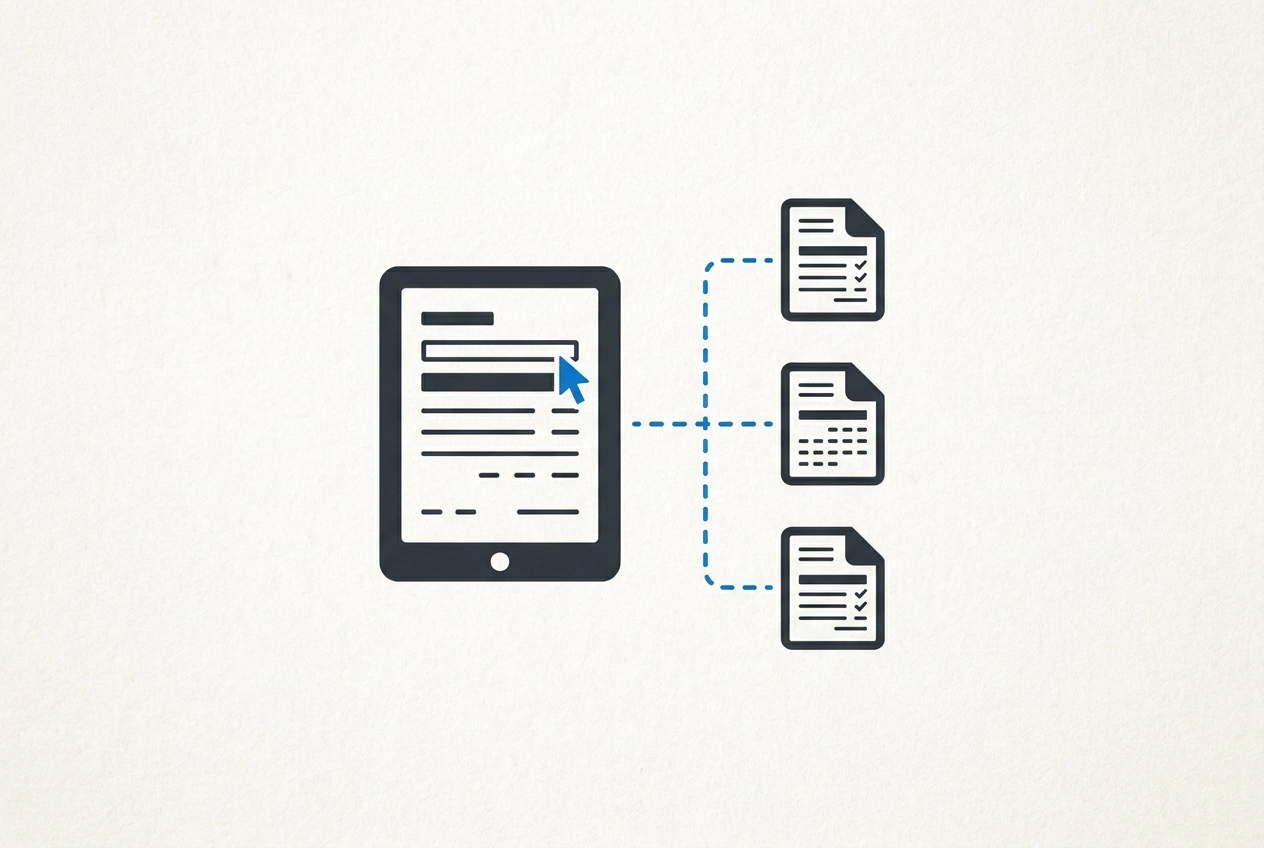
Imagine a typical new customer. They call, you talk, you write things down. Then you type their name into a quote. Later you type it again on the schedule. By the time the invoice goes out, that name has been entered four times, and maybe not the same way twice. If that sounds familiar, this post is for you.
With 36.2 million small businesses in the U.S., and most employer firms running with fewer than 10 people, there is no spare admin team to catch every duplicate entry. Every missing field on the first call becomes someone else's phone call later. So we will follow one new customer from that first call through the quote, the schedule, and the final invoice. Along the way, we will look at why retyping starts at intake, which fields are worth insisting on, which fields just create work, and what changes when the first call captures everything. Then you can start with your next call.
Why Retyping Starts at Intake
Re-entry is any detail you type a second time that already exists somewhere in your business, just not where the next step can find it. The same customer name going into a second box.
The cost comes back as callbacks. Anything you miss on the first call gets recovered later, usually by phoning the customer to repeat their own address. That call costs your time and leaves the customer wondering how carefully the job is run.
Picture a shop running on paper, texts, and memory. In that setup, the name tends to get typed at intake, again on the quote, again at booking, again on the invoice, not a research finding, just how it tends to go.
It isn't a niche problem. The SBA's 2025 United States profile counts 36.2 million small businesses, 99.9 percent of all U.S. businesses, and Census data cited there puts small construction firms at 3,656,782 in 2022.
Fix intake, not the invoice or the schedule. Every job passes through intake, so a detail captured there reaches every document after it. To check whether retyping is a real problem in your shop, see how to tell if your current setup has this problem. Patching four downstream steps costs more than getting the capture point right.
The First Call: Where the Name Gets Typed the First Time
Most cold calls get written down thin: a first name, a cell number, and something like "needs a repair" or "wants a quote." Enough to promise a callback, not enough to quote, schedule, or bill.
Three people often hide inside one call: who is asking, who owns the property or equipment, and who pays. Collapse all three into one first name and the office untangles it weeks later, the day the invoice goes out.
Then there is where the notes land: a text thread, the back of an old work order, a phone only one person checks. The detail exists, but it is not findable by whoever builds the quote. Same headache as when getting current numbers means calling someone: the record is somewhere, just not where the next step can read it.
The first call is the cheapest moment to collect a field. The customer is already talking to you. Ask later and you pay a callback, a wait, and sometimes the job.
Watch the handoff, too. If the person answering does not know material, labor rates, or lead times, their job is to capture facts, not guess. Facts pass downstream cleanly. Guesses get redone.
Those facts are what the quote should be built from.
The Quote: Typing the Same Customer Into a Fresh Document
In most small shops, the quote gets built like this: scroll back through texts, reread the notepad, call the tech who took the call, then type the name and address onto a fresh document because there is nothing to copy from.
But a quote needs more than a name. It needs scope in plain language, the site or unit location, access details, target timing, and the labor and material basis for the number. Most of that was available on the first call and never got asked for.
Then there is the approval gap. A verbal yes, a thumbs up on a text, or a handshake leaves no record of what was approved, at what price, with what included and excluded. That omission surfaces as a dispute at invoice time.
The source of the call goes missing the same way. Referral, repeat customer, yard sign, or search tells you where work comes from, but almost nobody writes it down when the phone rings, and it cannot be reconstructed a month later.
One habit fixes most of this: one quote, one revision trail, one record of what the customer said yes to and when. That is a fixed quote, not a price list: one version, one answer to what we agreed to.
The Schedule: The Third Typing, Often in a Different Tool
Scheduling needs what the quote never held: duration, address, site contact, access notes like a gate code or a dog in the yard, materials lead time, and which crew and equipment are free.
Here is the usual split. The quote lives in a document. The schedule lives in a calendar or on a whiteboard. The two never speak, so the address gets retyped from an email, and a correction in one place never reaches the other.
Crew credentials complicate it: who is licensed for what, certified for a specific install, or out that day rarely sits beside the calendar. The schedule books the wrong person and the office finds out the morning of the job. Connecting credentials to jobs is a process fix, not a memory test.
Then scope moves: the customer adds a second unit, drops a room, or pushes the date. With no shared record, the change lives in one person's memory and never reaches the invoice. Highway work uses a change order for that reason.
The Invoice: Typed a Fourth Time, Rebuilt From Memory
By invoice time, the customer's name is getting typed for the fourth time, usually by whoever handles billing, not the person who took the call. That handoff is where spelling drifts and addresses get rounded off. A misspelled legal name on an invoice can mean a check that doesn't match, and payment waits while you sort it out.
In practice, an invoice needs the legal customer name, billing address, job address, description of work performed, price, tax treatment, and payment terms, almost all of it available from the first call. Same goes for the details that show up late: purchase order and job reference numbers, vendor onboarding forms, and whatever the customer's accounts payable demands. Grab those at intake and the invoice goes out without a round of emails.
A vague description gets the invoice sent back for a second pass, which delays payment. The fix isn't a prettier template; it's the scope wording captured up front. The Scenario That Starts It All shows how one missed detail cascades.
The Fields Worth Insisting On at Intake
Five headings, a handful of fields under each, and you never rebuild a customer from memory again.
Who they are. The name exactly as it should appear on paperwork, best phone and email, and the decision maker if that's someone else. If the billing name or address differs from the job site, get both. Don't assume the person calling owns the property.
Where the work is. Street address plus unit, lot, or building number. Add access notes on the call: gate codes, where to park, the loose dog, and the on-site contact's name. Those belong on the record, not in someone's head.
What the scope is. What they want done in their words, then a plain-language version in yours. For parts and service work, grab measurements or model and serial numbers. Note target timing and anything that constrains it.
How they found you. One line, captured live: referral, repeat customer, truck sign, search, or walk-in. Seconds on the call, impossible to reconstruct honestly three weeks later.
What they approved. Quote version, price, inclusions, exclusions, and the date they said yes. Regulators keep making the same point that verbal promises are the risk; Maryland, for instance, won't let a contractor take a deposit before the contract is signed. This is the field that ends most billing arguments before they start.
Trade-specific must-haves come up on the first call anyway: license or permit requirements, assessment or inspection details, and the exact equipment or unit the work applies to.
One test settles the rest: a field earns its place if at least two later steps use it. If only one step needs it, it can wait until that step. Before you trim anything, know what you need before you start.
The Fields That Just Create Work
The other half of the list is subtraction. These are the fields that look thorough on paper and cost you on every call.
Cut the length. A form with a dozen required boxes takes so long to fill in that whoever answers the phone quits filling it in. A form nobody uses is worse than no form at all. One page, tops. If your shop already runs on spreadsheets and texts, this is the first place to trim.
Cut the survey. Twelve marketing options, a satisfaction score, a referral source code. One plain question, "How did you hear about us?", gets the same answer without turning a service call into market research.
Cut what you can't protect yet. Taxpayer IDs, dates of birth, card numbers. Collect those when there is a reason and a place to keep them, not because the form had room.
Cut the junk drawer. Free-text notes boxes with no owner and no format swallow everything and get read by no one. The gate code you actually need ends up buried under three lines about a neighbor's fence.
Cut the duplicates. Separate billing and mailing address fields hold the same address most of the time. One address, one checkbox.
Cut the questions your phone person can't answer. Labor rates, lead times, permit requirements, firm dates. Guessing live gives you a number you have to walk back, and that costs more trust than a callback would have.
Every extra required field is a small tax on the first call, paid by the busiest person in the shop. Trim your list to what later steps actually read, and the first call starts working for the rest of the job.
What Changes When the First Call Captures Everything
With the right fields captured at intake, the quote, schedule, and invoice each become a copy of the same record rather than a fresh start.
Callbacks drop too, and the ones left are about the work, not the paperwork. Nobody phones a customer to re-ask for an address they already gave.
Changes stop getting lost. When scope, price, or timing shifts, it lands on the same record every step reads, not in one person's memory and one text thread.
Two people can work the same job without a separate briefing. Whoever takes the next call sees the access notes, the approval, and the scope in one place, which is particularly useful in a smaller shop.
This is the shape of work 1Site2See does. Booking and intake is one of the three Custom Builds frameworks, built around how a business already works rather than a template, and part of the work is connecting tools a business already uses so information stops getting re-entered by hand. For trade contractors, crew&cost keeps job costing, bids, invoices, and crew and license tracking on one job record rather than separate spreadsheets, and its smart bidding uses real labor and cost history from past jobs to inform a new bid.
The field list is the real deliverable, the system is just where you keep it.
Start With Your Next Call
Your field list is the deliverable. Everything else is just a place to keep it.
Return to the five headings from the previous section, write them on one page, and keep it beside the phone.
Then run your next five calls through it by hand. Paper is fine if that is what your shop uses. Do not buy anything yet. The test is whether the list survives a busy Thursday, not whether it looks good on a quiet Tuesday.
After those calls, check which fields you actually read when you build the quote, book the job, and send the invoice. Delete the ones nothing used. What is left is your form.
Next, count callbacks for two weeks. Every time someone phones a customer to re-ask for information the business already had, mark it. That total is the size of the problem in your shop, and it is the number that justifies changing anything.
Once the list holds through a normal week, pick one way to keep it on a single record that the quote, schedule, and invoice all read from. Fix the process first. Add technology second.
Conclusion
Intake typed once is not about software. It is about deciding what belongs on the first record so the quote, schedule, and invoice stop asking for the same details again. A short field list, tested by hand and trimmed to what later steps actually read, is the only change needed. Everything else follows from that.